
Tool for Proofreading in Spanish – LanguageTool Review
 By Kéllyta Quijada, Spanish tutorUpdated November 1, 2024
I used to struggle with Spanish grammar when creating content, but this tool I’m reviewing today is great for proofreading your Spanish online (spell checker & grammar checker in Spanish). The name is LanguageTool and it has helped me learn about the accents (á, é, í, ó, ú, ü, ñ, ¿, ¡) on certain words, or if I got a word spelled wrong, the el/la wrong, and in many more corrections.
- LanguageTool for Spanish Proofreading: https://languagetool.org/
It corrects more than just misspellings, it also corrects words in sentences that should be different. If you haven’t checked it out you should, test it out for a few days because it will truly help you to correct your Spanish. You can use it in all of your emails, Google Docs, Google Chrome, Firefox, Microsoft Word, LibreOffice, and it can also be used offline – no need for the internet to use it.
Screenshots of Some of our Blogs Before Editing
Here are a few examples where we used the tool in a Google Doc. This first example is where you can see how much the tool can correct mistakes in Spanish:
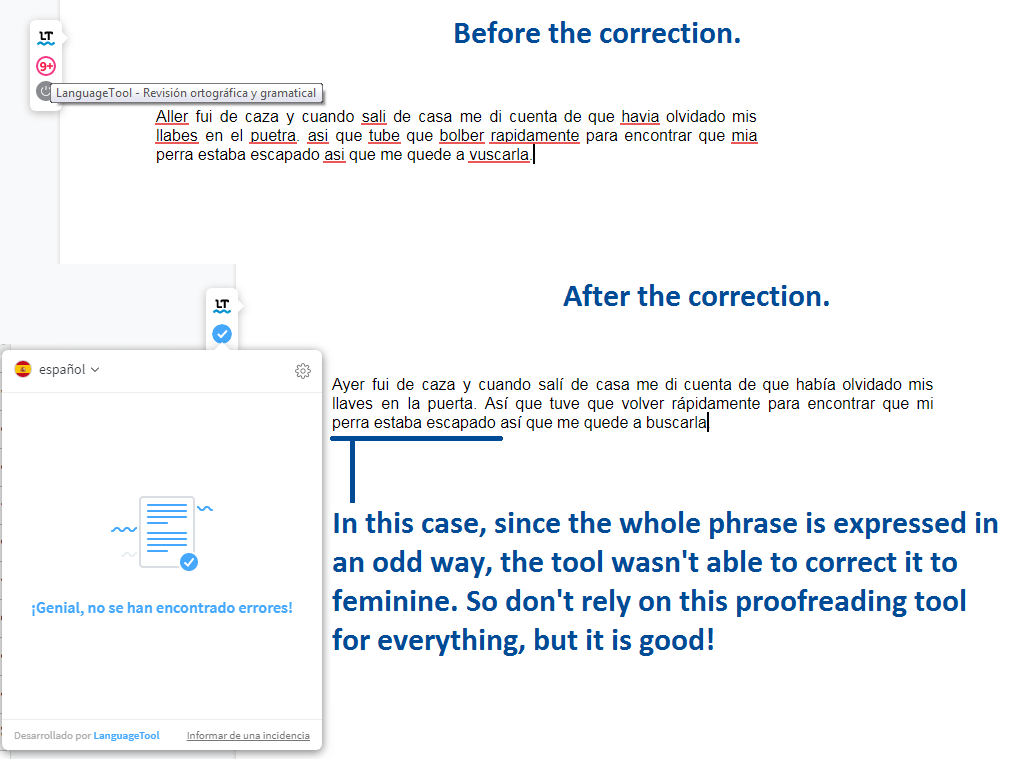
However, as we see in these two next examples, the tool isn’t perfect. And so keep that in mind that it will make the wrong suggestions at times if the mistake is too difficult for LanguageTool to figure it out. So don’t rely on the tool 100%, but certainly, have it as one of your tools in learning Spanish.
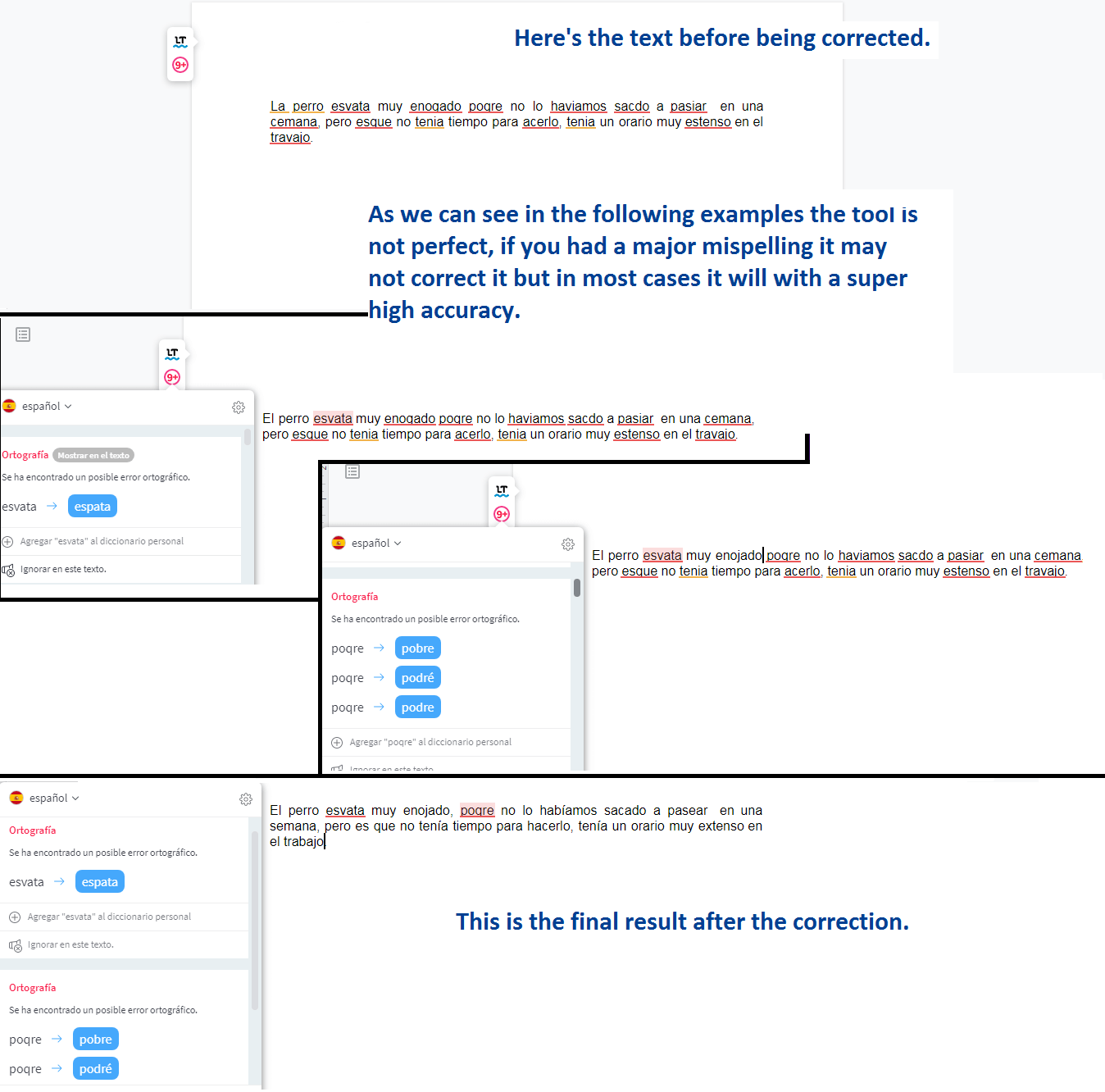
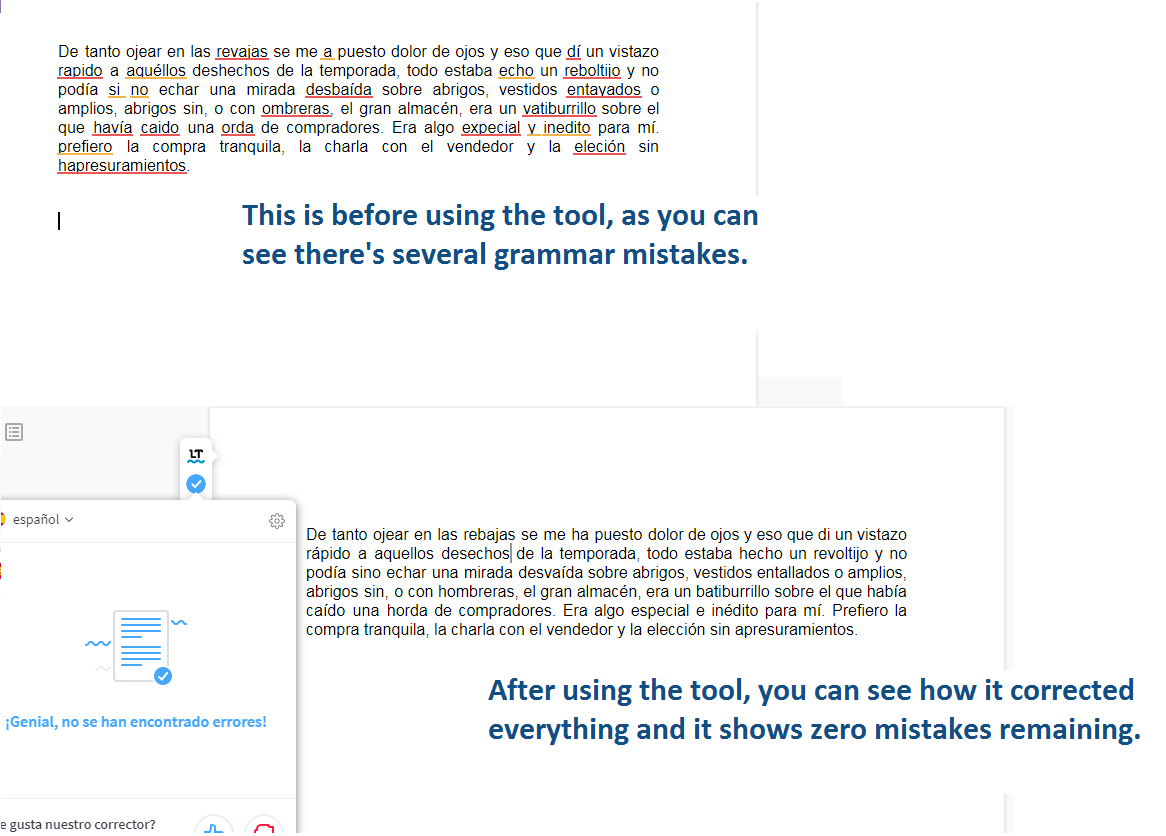
As you can see, this tool can help you with correcting your Spanish, and in the process help you to become better with your Spanish – on your way to being fluent or conversational, whatever your goal is!
Frequently asked questions
What is the best Spanish grammar checker?
LanguageTool is one of the best Spanish grammar checkers. It catches grammar, spelling and accent mistakes and has a free version.
Is there a free Spanish spell check?
Yes. LanguageTool, Google Docs and Microsoft Word all offer a free Spanish spell check. LanguageTool is the best at grammar.